06 · AI course creator
Author a course in minutes, then edit what matters.
Qaliber plans the course structure first, then builds it section by section from your own documents. Your experts edit the draft, and it's published once it clears your approval chain. AI authoring is included with the platform.
The problem
Missing training is rarely a sign that nobody wanted it. Usually, building it would take three weeks that nobody has.
Compared
What you get elsewhere, and what you get here.
What you get elsewhere
- AI sold as an add-on, licensed per seat, and renewed separately.
- Token budgets and usage dashboards — a second thing to administer before anyone can build a course.
- A single prompt and whatever comes back, with no outline to review before the content is written.
- Generation for one kind of content, usually text, and nothing for forms, video or assessment.
- A separate authoring tool, with an export step and a copy that falls out of date immediately.
- No way to turn a document into a conversation people want to hear without a separate production tool, a script written by hand and studio time.
What you get from Qaliber
- AI is included across every kind of content: courses, documents, forms, podcast series, microlearning and micro video.
- Build a Podcast turns a topic, and optionally your own documents, into a real two-host conversation with a written script, two distinct voices, cover art and a finished episode. Episodes can be organized into a series for continuity.
- Because the platform is built on AI, the AI is included throughout.
- Generous content-building tiers, set high enough that you rarely have to think about the limit.
- The system produces the draft and your expert edits it, so the judgment stays with the expert and every project starts from a draft.
- Drafts start from your own documents, so they reflect what your company already knows, with research added where a topic calls for it.
- Builds are resumable, with attempts and errors recorded against each job, so a long course picks up where it left off.
Shown
See it working.
Phase 1
Topic and grounding
Your documents supplied as the source
Phase 2
Blueprint
The structure, before any writing
Phase 3
Sections
Built one at a time, progress reported
Phase 4
Your edit
The expert keeps the final word
Phase 5
Approval chain
Named approvers, step by step
GroundedBuilt from your own content
ResumableAttempts and errors recorded
Every content typeCourse, document, form, video
Built with QFlagged on the record
AI builds a course in stages. It plans a blueprint first, then builds each section from the documents you supply, reporting its phase and progress throughout.
Try it
Watch a course take shape.
This is a simulated build with sample content. The sequence is the real one: the source document is read, the structure is planned, and the result arrives as a draft for a person to review.
From the product
The screens your team would work in.
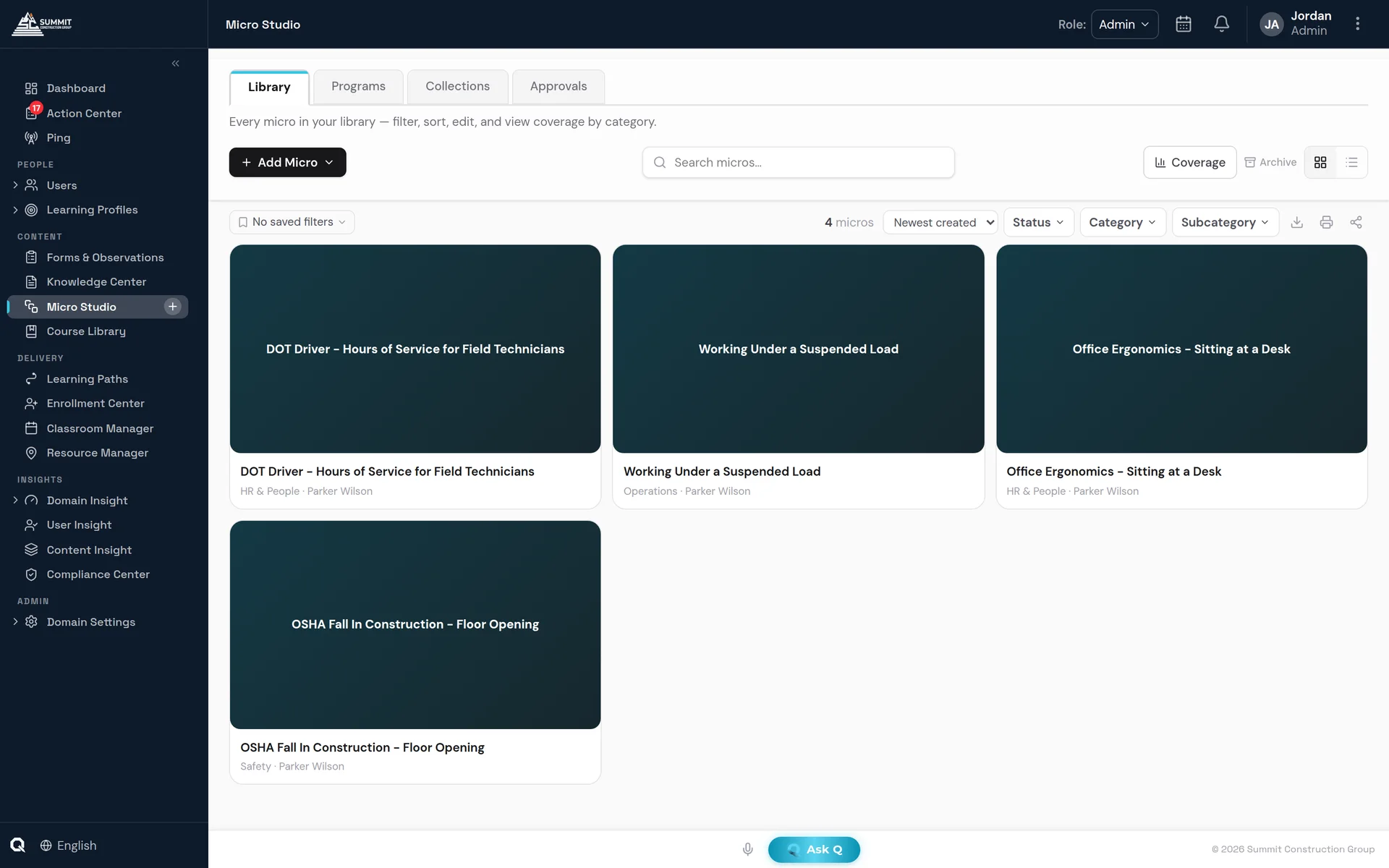
Micro Studio — the workspace where drafts become short lessons your experts can edit.
Included
What's included.
AI included with the platform
AI is part of the platform and included throughout.
Every kind of content
Create courses, documents, forms, lessons and video in one place, and keep them in one library.
Draft, then edit
AI writes the first draft, and your expert keeps the final word and the accountability.
Grounded in your content
The blueprint and every section are built from the documents you supply, with research added where a topic calls for it.
Approved before it ships
Generated content enters the same approval chain as anything else, with named approvers and a recorded decision.
Build a Podcast
Give Q a topic, plus your own documents for grounding if you like. Q writes a two-host conversation, generates the cover art and produces a finished episode.
FAQ
Questions buyers ask.
What files can I build a course from?
You can upload PDF, Word, PowerPoint, text, CSV and HTML files (up to five at a time, 10 MB each), and add up to five links and documents already in your library.
What can Q build besides courses?
Q can also build podcasts, micro videos, micro quizzes, quick lessons, job aids, forms, and documents such as policies, SOPs, training manuals and handbooks.
Does a person review AI-generated content?
Yes. Q plans the structure first, then writes it section by section, and the result arrives as a draft for a person to review and edit before anyone sees it.
Can AI-built courses be translated?
Yes. Courses translate in place, including the practice interactions inside each lesson. See Multilingual Training.